
One Quick Check Before You Join! 🐾
This takes 30 seconds, pawrent — but it saves a whole lot of hassle. Just a quick heads-up before you grab your €10/year membership! 🐶
Use your Google email address at checkout
Please sign up using the email address linked to your Google account (the one you use for Google Maps).
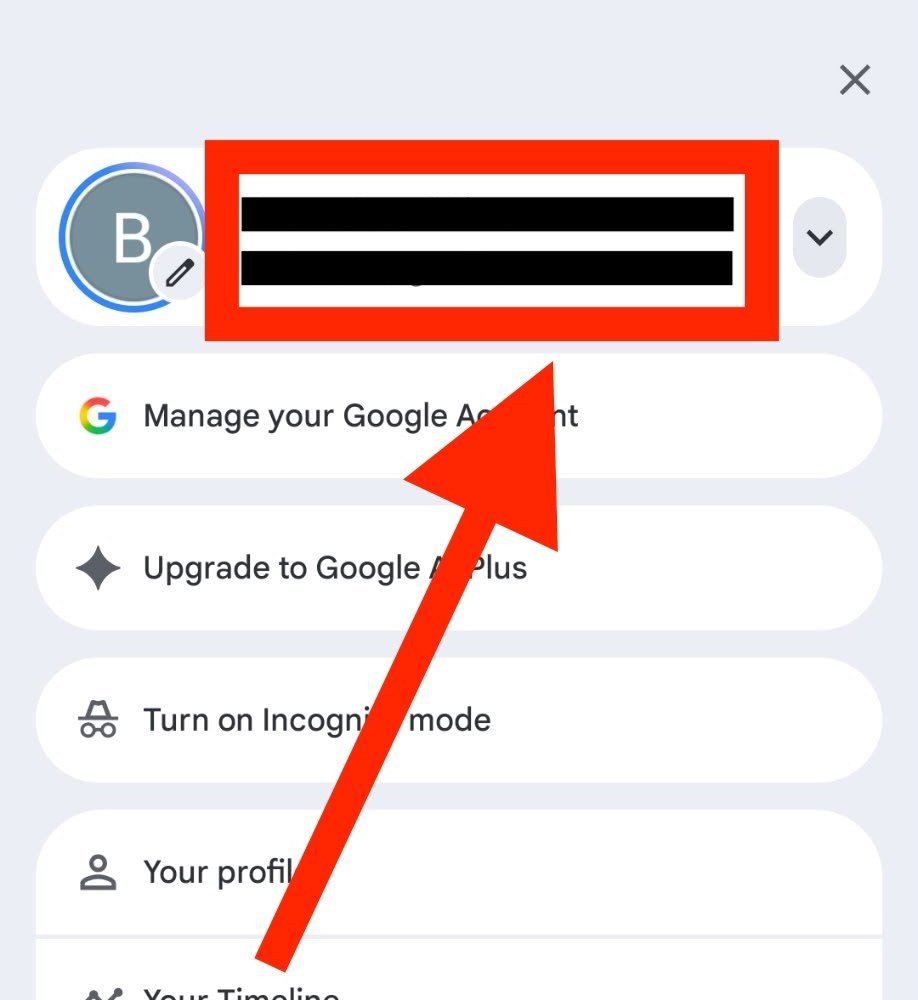
Your map access is granted to the email you pay with. If it’s not your Google email, the map won’t work on your device.
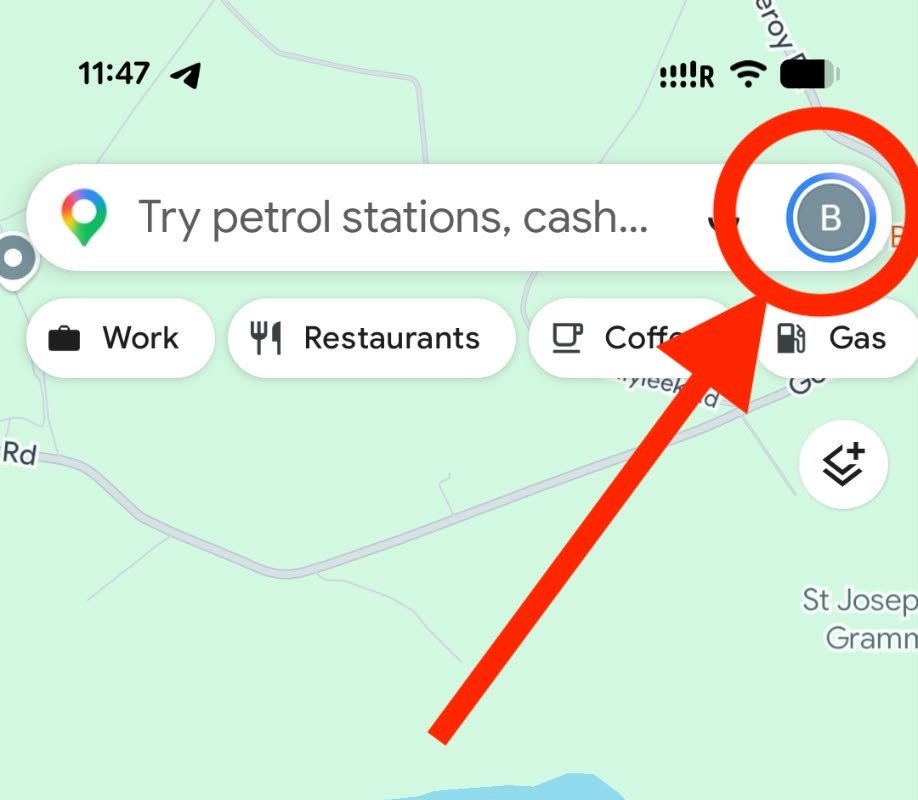
📱 How to check: open the Google Maps app, tap your profile picture (top right) — the email shown there is what we need. Make sure you use that same email when paying! ✅
Step 1: Tap your profile icon (top right) 👆
Step 2: Your Google email is shown here — sign up with this ✅
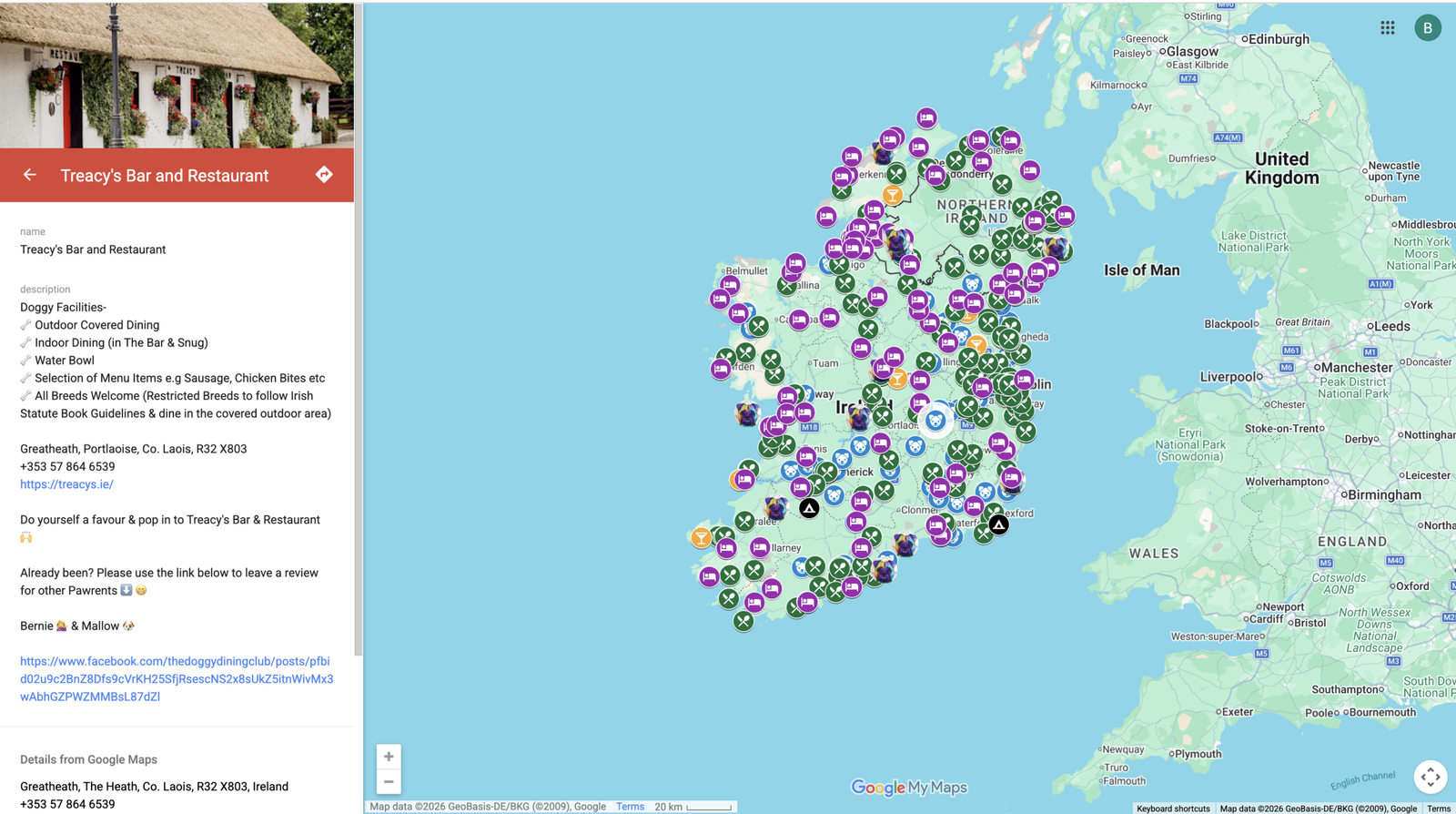
This is what you’re unlocking 🗺️
Easy as 1, 2, 3! 🚀
Here’s the whole process, pawrent — nothing tricky about it!
Pay €10/year
Hit the big yellow button below to pay securely for your year’s membership. 🐾
Use your Google email
At checkout, enter the email address linked to your Google account — that’s the one that unlocks your map! 📧
Check your inbox (And your SPAM)
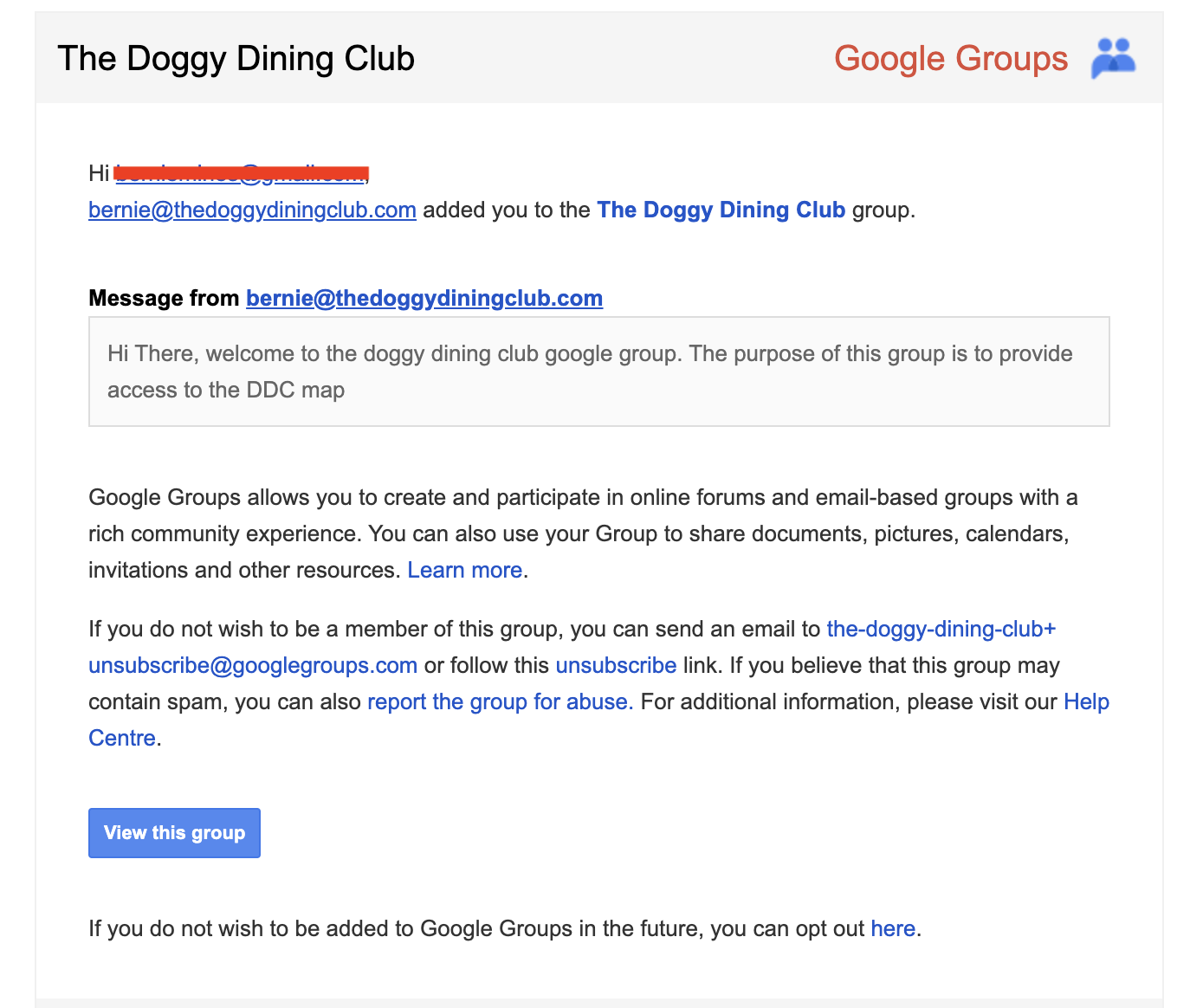
Your map access email arrives within 24 hours — then get out there exploring with your best friend! 🐶
All set, pawrent? Let’s get you signed up! 🎉
Just remember — use your Google email at checkout and your map will be wagging its tail in no time!
– or –